
Local rank tracking, on your schedule
Choose the business, keywords, area and schedule once. Maprix runs the scan on time and shows how each keyword moves on mobile and desktop.
A measurement that keeps its shape
Rankings move for many reasons, and a single scan cannot tell a trend from a bad day. Auto Tracking runs the same scan on the same points at the time you choose, so every new result can be read against the last one.
The plan card puts the latest change for each keyword next to its trend on mobile and desktop, together with the next scan date and how long your balance lasts. When a scan finishes you get one summary email for the day, not one message per plan.
Set your first measurement with Rank Tracker, then keep the business, keywords, grid and device consistent across scheduled runs. Use Reports to inspect the change between dates. If the two devices disagree, the mobile and desktop comparison guide shows what to check before changing your setup.
How it works
-
Set up the plan
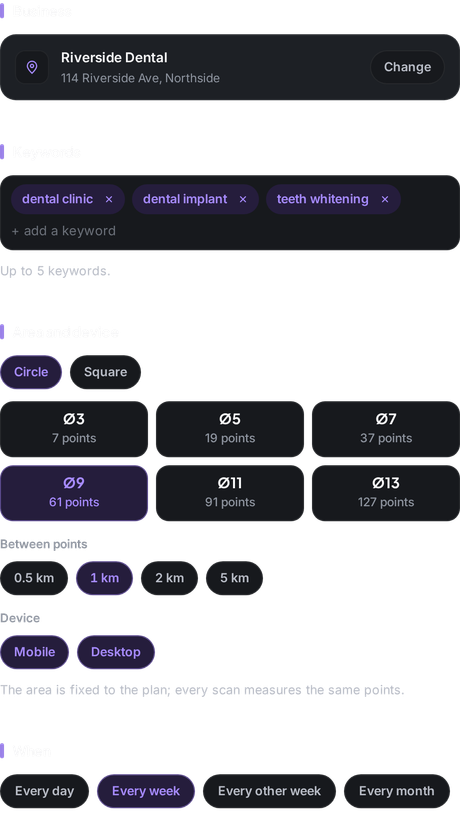
Pick the business, up to five keywords, a circle or square area, the device and when the scan should run.
-
Choose the email
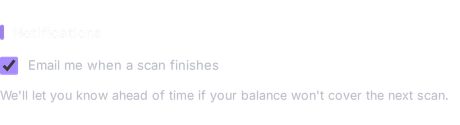
Get an email when a scan finishes. You receive at most one summary a day, however many plans run.
-
Credits only when it runs
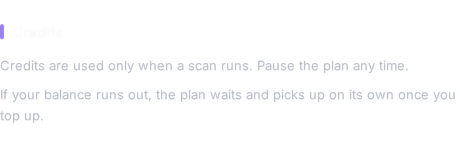
Credits are spent only when a scan runs. Pause the plan whenever you like and nothing is used.
What you get
-
Four schedules
Every day, every week, every other week or every month, on the day and at the time you pick.
-
A trend for each keyword
Mobile and desktop lines for every keyword, with the change since the previous scan.
-
The same points every time
The area is fixed to the plan, so every scan measures the same points and the results stay comparable.
-
Next scan and balance up front
The plan card shows when the next scan runs and how long your balance lasts at this pace.
-
First scan right away
Run the first scan as soon as the plan is saved instead of waiting for the schedule.
-
Pause, edit or delete
Change the plan whenever the work changes; a paused plan does not run.
Who it is for
-
Business owner
See every week whether your work on the profile is showing up on the map.
Explore the workflow -
Marketer
Keep a steady measurement for every location without remembering to start it.
-
Agency
Schedule each client's scans and open the trend when it is time to report.
Explore the workflow
Which plan
The plan we suggest for this feature. Every plan starts with a 7-day free trial.
Compare all plansPro
For owners and marketers tracking several locations
Monthly price: $49 $39 per month, billed annually
- 30,000 credits/mo
- 612 keyword scans on a 7×7 grid
$0 today. First charge on day 8; cancel any time before.
Frequently asked questions
Which schedules are available?
Every day, every week, every other week or every month, on every plan.
How many keywords can a plan track?
Up to five keywords per plan, on mobile, desktop or both.
When are credits used?
Only when a scan runs: grid points × keywords × devices. The setup screen shows the cost of one scan before you save the plan.
Will I get an email every time a scan runs?
You get at most one summary email a day, even when several plans run on the same day.
Can I pause a plan?
Yes. A paused plan does not run and uses no credits until you resume it.
Other features
From the guides
- Why Google Maps Rankings Change: Wave or Current?Third yesterday, seventh today. The six forces that move Google Maps rankings and three rules for telling a passing wave from a real decline.
- Mobile vs Desktop Google Maps Rankings: A Fair TestCompare mobile and desktop Google Maps rankings with a controlled setup. Keep location, query and timing steady, and interpret device results separately.